
How Companies Can Share Accurate Contact Details with Field Employees
An MDM practitioner’s guide to mobile directory access, native contacts, and lifecycle control
A reassigned phone number should not send a technician to the wrong colleague. Yet that is exactly what can happen when field employees depend on contact cards saved months ago. New hires arrive, roles change, numbers are reassigned, and former employees leave—but locally stored contacts remain frozen in time.
For mobile device management (MDM) teams, the requirement is broader than “put the company directory on every phone.” The real goal is to give field employees fast access to authoritative contact data while preserving security, privacy, and a manageable employee lifecycle.
Start with the authoritative directory
In most organizations, the source of truth already exists in Microsoft 365 or Google Workspace. Exchange Online address lists are dynamic: when mail-enabled recipients are created or changed, they are added to the appropriate lists automatically. Google Workspace similarly lets administrators maintain organizational profiles in the Admin console, or with Google Cloud Directory Sync. That centralization reduces duplicate administration, although changes can still take time to propagate.
Directory lookup is not the same as contact synchronization
This distinction drives the architecture. A searchable directory lets a user look up a colleague when needed. Contact synchronization copies records into a personal or native contacts store so they may appear in the phone dialer, caller ID, or offline. The native experience is convenient, but copied records are harder to govern after they leave the managed directory or app.
How employees can look up contacts on iPhone
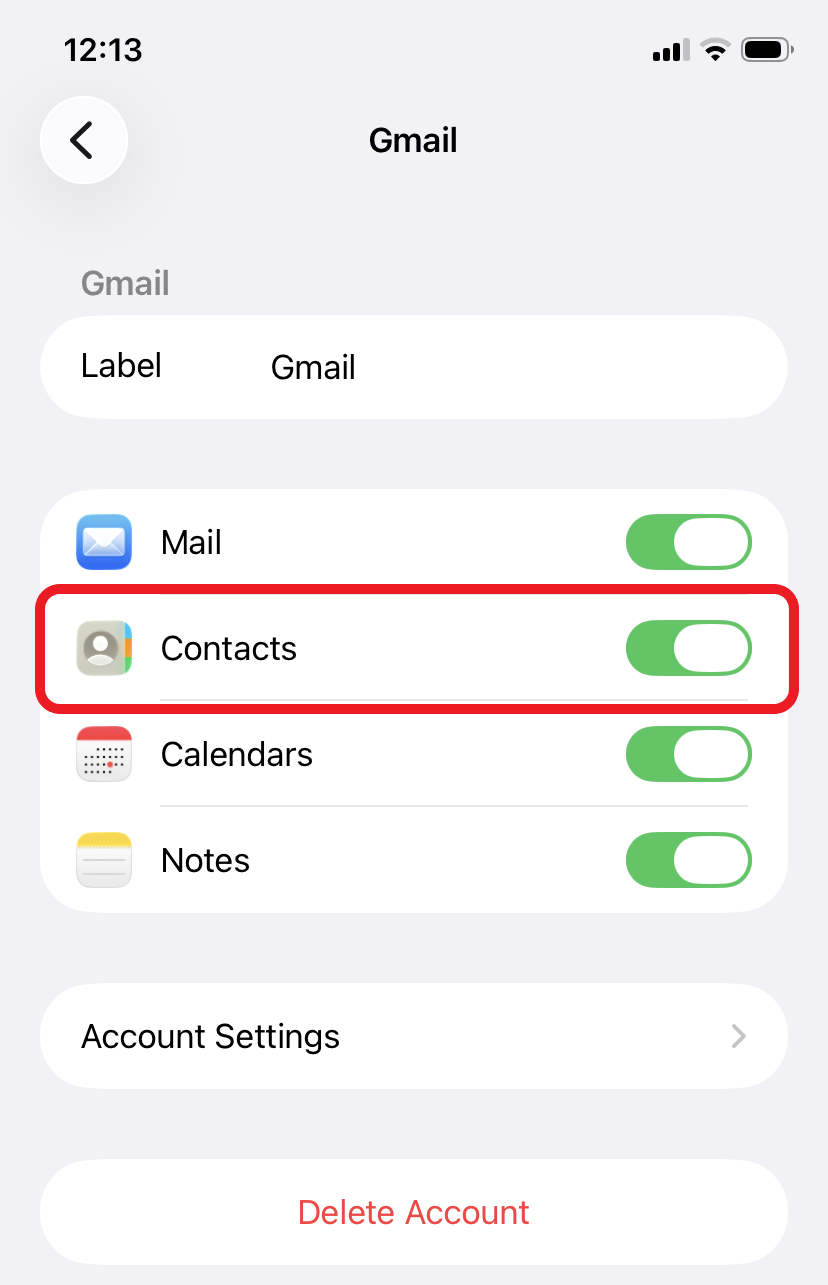
For Google Workspace and Microsoft 365, after the work account is configured and permitted by the organization, an employee can open Contacts, tap the arrow in the top‑left corner, select Global Address List under the work account, and search for a colleague. Type four characters or more and give it a second to retrieve the details online. In my recent test using a Google Workspace account, only three characters were required to look up someone’s name. Please note that without internet access this will not work, so we recommend saving contacts you call often. In my experience, looking up contacts this way has never been an issue for field employees because the data is accurate; if a saved contact doesn’t work, they can look it up if there has been a change in the Global Address List.
Decision factor | Microsoft 365 or Google Workspace directory | Some Third-party contact platform |
Cost | Core directory capability is generally part of the organization’s existing service (Google Workspace/Microsoft 365) | Usually requires separate licensing and implementation, although pricing varies by product and scale. |
Data maintenance | User and recipient records are maintained in the central directory. | May synchronize automatically through supported connectors or APIs from Google or Microsoft 365 but why use APIs when you can access data directly from the source? |
Lifecycle control | Strongest when users query the live directory or remain inside a managed app. Locally saved copies may become stale. | System gets updates later after a change or Administrator will need to update it manually. |
The expert recommendation
Begin with the directory and management capabilities already available in your productivity (Google Workspace or Microsoft 365). They often satisfy the most important requirement: giving employees access to current, centrally governed contact information. Add a third-party platform only when a tested business requirement—such as native caller ID, offline availability, or more granular distribution—cannot be met safely with built-in services.
The right question is not, “Can we copy every contact to every phone?” It is, “How do we deliver the right contact data to the right employee—and keep it accurate throughout its lifecycle?”



Comments