
Maximizing Cost Savings with Mobile Device Management Implementation
A Practical Guide for Small and Medium-Sized Businesses
In today's fast-paced business world, organizations are constantly looking for ways to cut costs and improve efficiency. One effective strategy that has gained traction is the implementation of Mobile Device Management (MDM) system. MDM helps businesses manage their mobile devices. If you run a small or medium-sized business with a fleet of company iPhones or iPads, there is a good chance you fall into one of two categories.
Either you have not implemented Mobile Device Management (MDM) yet, and you are managing devices manually — one employee, one phone call, one wireless bill line item at a time. Or you already have an MDM platform in place, but if we are being honest, you are barely scratching the surface of what it can actually do for your business.
Both situations are costing you more money than you realize.
Understanding Mobile Device Management
Mobile Device Management, or MDM, is software that gives businesses centralized control over the smartphones and tablets their employees use for work. Instead of setting up, securing, and tracking each device by hand, MDM lets you manage your entire device fleet from a single dashboard — enrolling new devices automatically, applying security settings and app restrictions across the board, and remotely locking or wiping a device the moment it is lost, stolen, or no longer in approved hands.
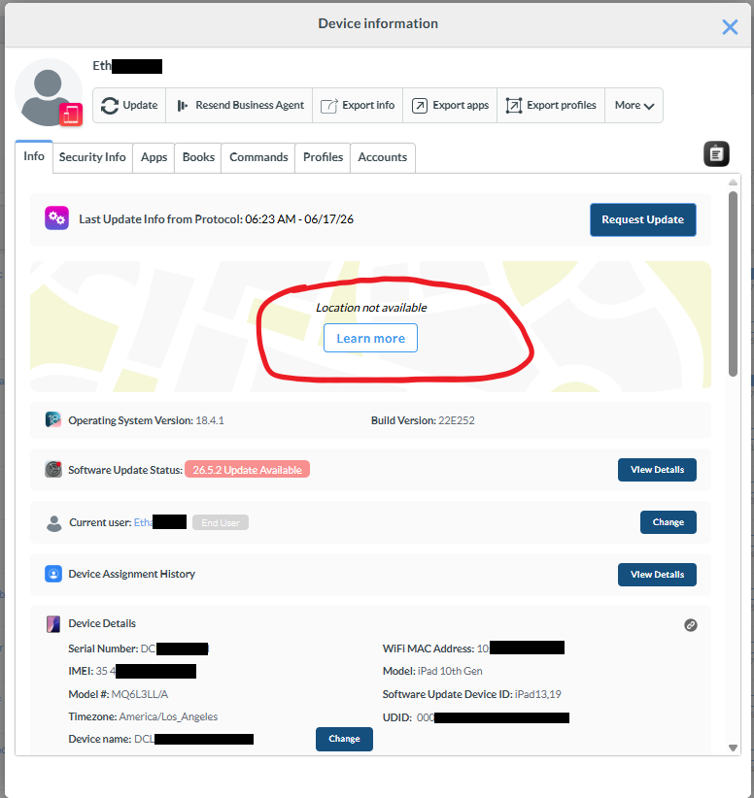
For SMBs, the value of MDM goes beyond security. It is also a visibility and cost-control tool. A properly configured MDM platform tells you exactly which employee has which device, what is installed on it, and how it connects to your wireless plan — information that is essential for cutting unnecessary carrier costs, simplifying device setup, and staying compliant as your business grows.
Part 1: If You Have Not Implemented MDM Yet
The Cost of "Managing Devices Manually"
Many SMB owners and operations managers believe they are saving money by avoiding MDM altogether. No software subscription, no setup time, no learning curve. On paper, that sounds efficient.
In practice, here is what manual device management actually costs:
Wasted Wireless Spend: Without a centralized system tracking which device belongs to which employee, businesses routinely keep paying for lines tied to employees who left months — sometimes years — ago. We have seen this repeatedly during audits: a handful of inactive lines, quietly billing every month, simply because nobody had a system flagging them.
Manual Device Setup Time: Every new hire means someone on your team manually configuring a device from scratch — installing apps one by one, applying settings by hand, walking the employee through software updates and screen prompts. This can easily consume an hour or more per device. Multiply that by your hiring volume, and the labor cost adds up fast.
Security Exposure: When an employee leaves the company, how quickly can you guarantee their device no longer has access to company email, files, or client data? Without remote lock and wipe capabilities, the honest answer for most businesses is "not as fast as it should be." That gap is where data breaches and compliance violations live.
No Visibility, No Control: Without device inventory, ownership records, or audit trails, your operations team is reacting to problems instead of preventing them. Every lost device, every access issue, every billing discrepancy becomes a fire drill instead of a five-minute lookup.
Where the Savings Begin
The moment you implement even a basic MDM setup, three things happen immediately:
You gain visibility into every device, every line, and every user — in one place.
You eliminate manual setup time through automated enrollment and configuration.
You close the security gap with remote lock and wipe capabilities that work instantly, from anywhere.
For most SMBs, the cost of an MDM platform pays for itself within the first one to two billing cycles, simply from identifying and eliminating unused wireless lines alone.
Part 2: If You Already Have MDM But Are Not Using It Fully
This is the part most businesses skip past — and it is often where the real money is being left on the table.
Implementing MDM is step one. Optimizing it is where the actual return on investment lives. Here are the most common gaps we find when reviewing an existing MDM setup.
1. Wireless Cost Audits Are Not Being Run Regularly
Most businesses set up MDM, configure their devices, and never look at the wireless cost angle again. But device inventory data — particularly IMEI and IMEI2 identifiers — can be cross-referenced against carrier reports to catch something carrier bills alone will not show you: devices quietly running two wireless lines, where one is active and the other has been billing for months with zero usage.
Action step: Schedule a quarterly wireless audit using your MDM's device inventory data against your carrier statements. This single habit alone has uncovered significant recurring savings for businesses we have worked with.
2. Dynamic User and Device Groups Are Not Set Up
Many businesses still configure every device manually, even with an MDM platform running. Smart or dynamic groups eliminate this entirely. When an employee is assigned a role — say, a field technician — the system can automatically apply the right apps, settings, and restrictions the moment their device enrolls. No manual configuration, no missed settings, no inconsistency between devices.
Action step: Map out your employee roles and build dynamic groups around them. This is one of the highest-leverage features in any MDM platform, and it is consistently underused.
3. Automated Enrollment Is Not Fully Configured
If your team is still walking new employees through device setup screens — Wi-Fi, email, app installations — your MDM is not being used to its potential. Automated, zero-touch enrollment through Apple Manager means a device can be shipped directly to an employee, and the moment it powers on, you authenticate device as the user and it configures itself completely.
Action step: Confirm your enrollment process requires zero manual steps from your IT team or the employee. If it does not, this is a quick win waiting to be claimed.
4. Offboarding Is Not Automated
When an employee leaves, every minute of delay between their exit and device lockdown is a window of risk. Many businesses still rely on a manual checklist — remembering to lock the device, wipe company data, and flag the wireless line for suspension separately.
Action step: Build an automated offboarding workflow that triggers all three actions — lock, wipe, and line suspension — from a single step. This closes your security gap and your billing gap at the same time.
5. Compliance Alerts Are Being Ignored or Not Configured
Certificates, integrations, and tokens within your MDM platform have expiration dates. When these lapse without warning, device management can break across your entire fleet — sometimes without anyone noticing until something stops working.
Action step: Make sure proactive expiration alerts are enabled and routed to someone who will actually act on them. This is a small configuration step that prevents a very large headache.
Cost-Saving Formula Using Mobile Device Management System
Whether you are implementing MDM for the first time or optimizing a platform you already have, the savings come from the same three places:
Savings Source | What It Looks Like |
Wireless Optimization | Identifying and eliminating unused, duplicate, or forgotten lines |
Time Automation | Removing manual setup, configuration, and offboarding steps |
Risk Reduction | Preventing data breaches, compliance violations, and outages before they happen |
The businesses that get the most value out of MDM are not the ones with the most expensive platform. They are the ones using their platform fully — auditing regularly, automating consistently, and treating MDM as an ongoing operational advantage rather than a one-time setup.
The Future of MDM
Mobile Device Management is moving well beyond basic enrollment, locking, and app control. Platforms are increasingly building in AI-driven automation that can flag unusual device behavior, predict when a certificate or integration is about to expire, and recommend cost-saving actions — such as flagging a wireless line with zero usage — before a business owner even thinks to look. Integration with directory services like Microsoft 365 and Google Workspace is also becoming deeper and more seamless, meaning the line between "managing devices" and "managing the business" continues to blur.
For SMBs, this shift matters because it lowers the barrier to running a sophisticated device management operation without needing a dedicated IT department. As MDM platforms continue to automate more of the manual work, the businesses that adopt and fully utilize these tools early will have a growing advantage over competitors still managing devices — and wireless costs — by hand.
Where to Start
If you have not implemented MDM yet, the first step is understanding which features actually matter for a business your size — not every feature a vendor tries to sell you.
If you already have MDM running, the first step is a simple audit: how much of your platform's capability are you actually using today?
Either way, we offer a free Mobile Device Audit for small and medium-sized businesses. We will review your current setup — or help you choose the right one from scratch — and show you exactly where the savings are hiding.
Ready to find out what your business is missing? [Book your free consultation today.]
Real-World Examples of Mobile Device Management Success
To illustrate the benefits of Mobile Device Management, let's look at a few real-world examples:
Example 1: Plumbing Company
A regional plumbing company with 35 field technicians struggled with inconsistent device setup, untracked company iPhones, and a wireless bill that grew every quarter without explanation. New hires often waited a full day before their phone was ready to use, technicians installed personal apps that slowed down company devices, and when employees left, their access to scheduling software and client information was not revoked for days — sometimes weeks. After implementing MDM, the company automated device enrollment so new phones configured themselves the moment they were powered on, restricted installations to approved work apps only, and enabled instant remote lock and wipe for departing employees. They also used the platform's device inventory to identify and cancel six unused wireless lines tied to former staff. As a result, onboarding time dropped from a full day to under 30 minutes, the company cut its monthly wireless spend by 22%, and technicians reported fewer device issues in the field — allowing the business to focus on completing more jobs instead of managing phones.
Example 2: Mid-Sized Community College
A mid-sized community college issued iPads to faculty and staff across multiple departments but had no centralized way to track which device belonged to whom, what was installed on each one, or how many devices were even active at a given time. IT staff spent hours each semester manually configuring devices for new hires and resetting them for returning faculty, while administrators struggled to enforce consistent security policies across departments — leaving sensitive student records exposed on devices with no passcode enforcement or app restrictions. After implementing MDM, the college rolled out automated enrollment so new devices arrived ready to use, with department-specific apps and settings applied automatically based on role. Passcode enforcement and app restrictions were applied college-wide, and the IT team gained a real-time inventory of every device on campus, including which ones were no longer in use. As a result, device setup time dropped by more than 70%, the college avoided a potential compliance violation tied to student data exposure, and IT staff reclaimed dozens of hours each semester that had previously gone toward manual device configuration and troubleshooting.


Comments